Liquid Spill Repair
Flat $75 labor. Time matters more than anything else here — corrosion keeps working long after the liquid has dried.
- Price
- $75 labor + any parts
- Turnaround
- 2–5 days · depends what the cleaning finds
- If we can't fix it
- The labor fee is on us
Sounds like your machine?
- Something was spilled on it, whatever it does now
- It worked after the spill and stopped days or weeks later
- Some keys have stopped working, or type on their own
- The trackpad has gone erratic
- It's on but won't charge, or won't hold a charge
- It got rained on, or went in the lake
- There's a faint smell, or sticky residue around the keyboard
Any of these and it’s worth a look. Diagnosis is included in the flat rate, so finding out costs you nothing extra.
Do this right now, before you read the rest
Shut it down immediately — hold the power button until it's fully off, don't wait for a proper shutdown. Unplug the charger. If the battery is removable, take it out. Turn the machine upside down like a tent so the liquid drains out rather than further in, and leave it that way.
Then, most importantly: do not switch it back on to see if it still works. Do not plug it in to charge. Electricity plus liquid is what actually kills these machines — the spill itself is survivable, powering it up wet often isn't.
Don't put it in rice. It does nothing useful, it delays proper cleaning, and it leaves starch dust inside the machine. The clock that matters is how long before someone opens it up and cleans the board.
Why speed decides the outcome
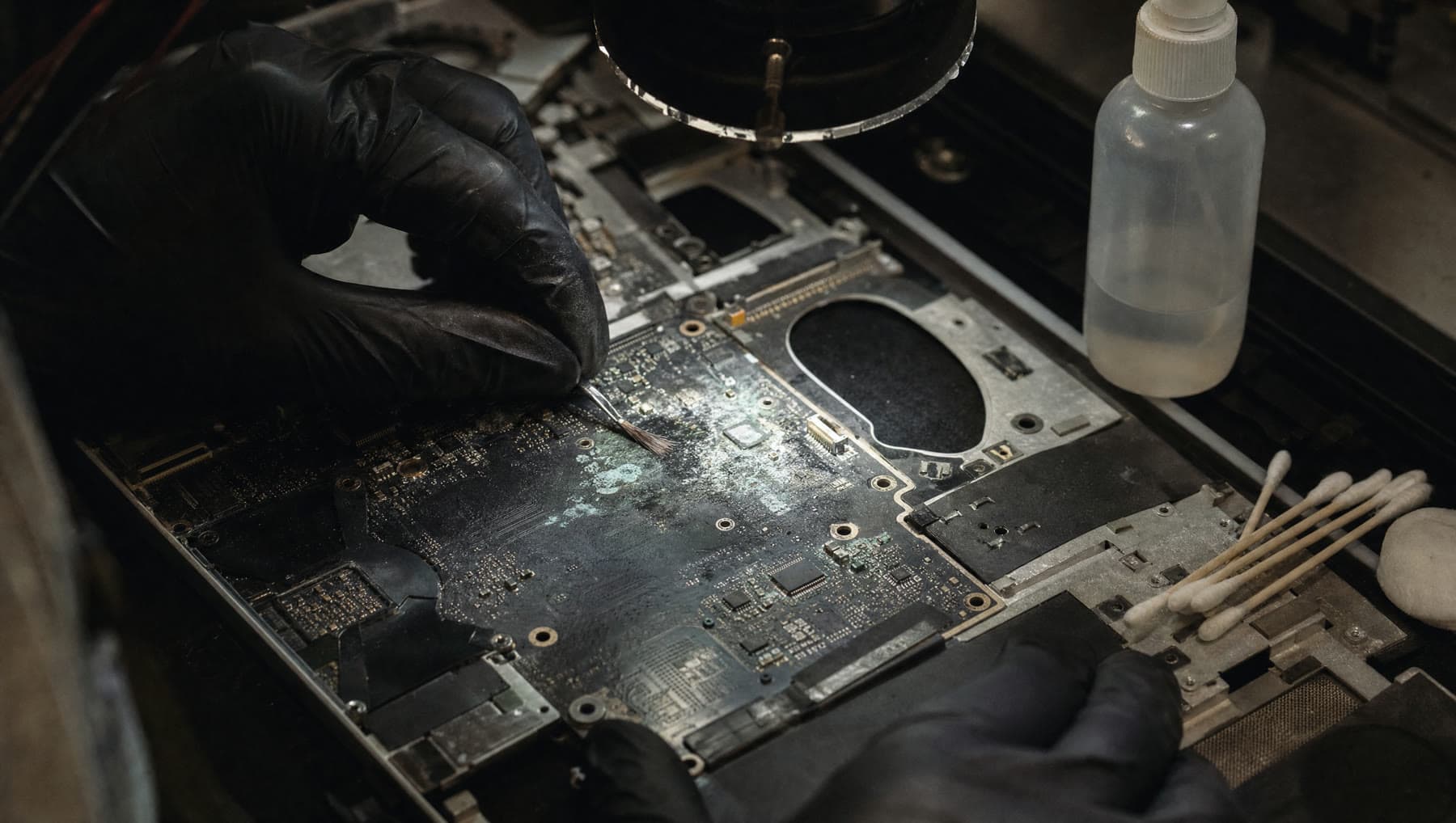
The liquid isn't the enemy for long — it evaporates. What it leaves behind is the problem. Sugars, salts and minerals stay on the circuit board and draw moisture out of the air, quietly conducting where they shouldn't and corroding solder joints and component legs.
This is why a laptop can survive a spill, work perfectly for two weeks, and then die. The damage was progressing the whole time. It's also why a machine cleaned within a day or two usually survives, and the same machine cleaned a month later often doesn't.
So the single biggest factor in what your repair costs is how quickly it reaches a bench. Same day is excellent. A week is workable. Two months of "it seemed fine" is where it gets expensive.
What we do differently by liquid
Clean water is the kindest — it leaves few deposits and, caught quickly, often does no lasting harm. Coffee, soda, juice, beer and wine are far worse: sugar is sticky and hygroscopic, and it goes on doing damage indefinitely. Salt water and lake water are the most aggressive of all, and around here we see our share.
The process is the same in principle: strip the machine down, remove the board, and clean it properly — an ultrasonic bath or a full isopropyl clean depending on severity, then careful work under magnification on corroded areas and connectors.
Afterwards we test component by component. Sometimes everything survives. Sometimes the keyboard or trackpad has to be replaced because liquid pooled there. Occasionally the board is beyond saving, and we'll tell you that as soon as we know rather than billing you toward a dead end.
The realistic odds
We won't pretend this is a routine repair with a guaranteed outcome. Caught within a day or two, a clean-water spill on a laptop usually comes back fully. A sugary drink left for weeks frequently doesn't. Most cases sit somewhere in between, and we can't know which until the board is open and clean.
What we can promise is that you'll get a straight assessment early and won't be billed for hope. And if the machine can't be saved, your drive is almost always fine — we'll recover your files and get them onto whatever replaces it.
What’s included
- Full teardown and board removal
- Ultrasonic or isopropyl cleaning depending on severity
- Corrosion removal under magnification, connector by connector
- Component-by-component testing after cleaning
- An honest assessment as soon as we know, not after the bill grows
- Data recovery from the drive if the machine can't be saved
If we can't fix it, the labor fee is on us. Parts only billed when installed.
Questions we get asked
I spilled water on my laptop. What do I do right now?
Hold the power button until it's fully off, unplug the charger, remove the battery if you can, and stand it upside down like a tent to drain. Then leave it off — don't test it, don't charge it. Bring it in as soon as you can. Powering a wet machine is what usually kills it.
Does putting it in rice work?
No. Rice doesn't draw moisture out of a sealed chassis in any meaningful way, and it adds starch dust to the inside of your computer. Worse, it costs you the days that actually matter. The liquid was never the main problem — the residue it leaves is.
It still works fine after the spill. Do I need to bring it in?
Yes, and quickly. Working now doesn't mean undamaged. Corrosion progresses for weeks, and a machine that seems fine today commonly fails a fortnight later. A cleaning now is far cheaper than a board repair then.
Can you always save a spilled laptop?
No, and we won't claim otherwise. Clean water caught in a day or two usually recovers fully. Sugary drinks left for weeks often don't. We'll give you an honest read as soon as the board is open, and if it's beyond saving we'll get your files off it.
Related repairs
Where we do this
We’re at 14327 MO-5, Sunrise Beach, MO 65079, on Route 5. People drive in from across the Lake of the Ozarks:
Let’s take a look at it.
Two minutes online, or just walk in during shop hours.
or call (573) 555-0142